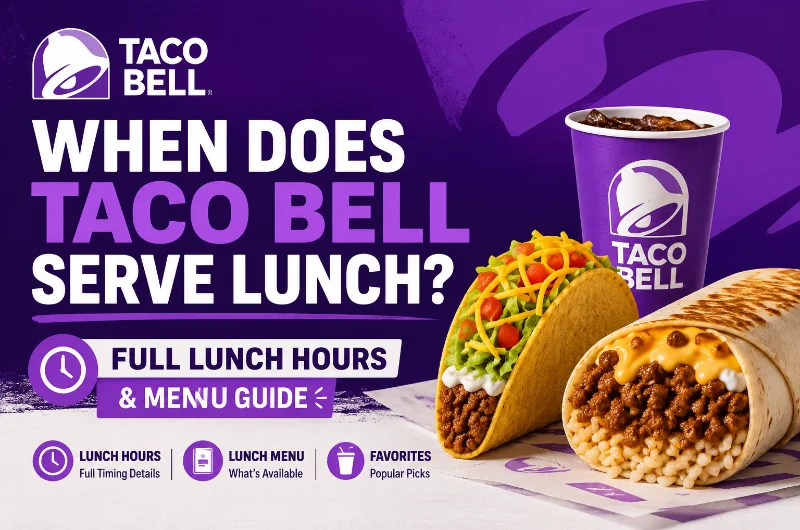
If you’ve ever pulled into a Taco Bell drive-thru craving a Crunchwrap Supreme at 10:45 AM only to be told “sorry, still on breakfast,” you know the frustration. Millions of Americans search every month to find out exactly when Taco Bell serves lunch and the answer has more nuance than most people expect.
This complete guide breaks down Taco Bell’s lunch hours, what’s on the lunch taco bell menu, how weekend and holiday hours work, and the smartest tips for timing your visit perfectly.
What Time Does Taco Bell Start Serving Lunch?
Taco Bell starts serving lunch at 11:00 AM at most U.S. locations.
This is the standard nationwide time, and it happens immediately after breakfast service ends. The transition is instant, at 11:00 AM sharp, the kitchen switches from the breakfast menu to the full regular menu. There is no overlap between the two.
Here’s what that means practically: if you pull up to the speaker at 10:59 AM hoping to order tacos, you’ll be told to wait. The switch happens system-wide, whether you’re ordering at the counter, through the drive-thru, or on the Taco Bell app.
Some high-traffic locations, particularly near highways, college campuses, or busy urban areas, may start lunch as early as 10:30 AM to handle the morning rush. And at locations that don’t serve breakfast at all, the regular lunch menu can be available from the moment the store opens, sometimes as early as 7:00 or 8:00 AM.
Quick Rule of Thumb:
- Breakfast location → Lunch starts at 11:00 AM
- Non-breakfast location → Lunch available from opening time
What Time Does Taco Bell Stop Serving Lunch?
This is where Taco Bell is very different from competitors like McDonald’s or Chick-fil-A.
Technically, Taco Bell’s official lunch window runs from 11:00 AM to 2:00 PM. However, this distinction is almost meaningless in practice. Unlike breakfast (which ends hard at 11:00 AM), there is no separate dinner menu at Taco Bell. The same tacos, burritos, and Crunchwraps you order at noon are available at 8:00 PM, midnight, or even 3:00 AM at 24-hour locations.
In other words, once lunch starts at 11:00 AM, the full Taco Bell menu stays available until the restaurant closes, which is typically between 11:00 PM and 2:00 AM depending on the location.
Taco Bell Lunch Hours at a Glance:
| Day | Lunch Starts | Lunch “Ends” | Menu Available Until |
| Monday – Friday | 11:00 AM | 2:00 PM (soft cutoff) | Closing (11 PM–2 AM) |
| Saturday | 11:00 AM | 2:00 PM (soft cutoff) | Closing (often later) |
| Sunday | 11:00 AM | 2:00 PM (soft cutoff) | Closing |
Note: Hours vary by location. Always check the Taco Bell app or store locator for your nearest restaurant’s exact schedule.
Taco Bell Lunch Hours by Day: What to Expect
Weekday Lunch Hours (Monday-Friday)
Standard locations follow the 11:00 AM start consistently on weekdays. If you visit between 11:00 AM and 11:45 AM, you’ll typically get the freshest food with the shortest wait times, right before the office lunch rush peaks around noon.
Weekend Lunch Hours (Saturday & Sunday)
Lunch hours on weekends generally mirror weekdays, with the same 11:00 AM start. However:
- Saturday closings tend to run later (sometimes until 2:00 AM) due to higher foot traffic.
- Sunday openings may start a bit later at some locations, so breakfast — and therefore the lunch transition, could shift slightly.
If you’re planning a late Sunday brunch run, confirm your local store’s hours on the app before heading out.
Holiday Lunch Hours
Taco Bell remains open on most major U.S. holidays, including Thanksgiving and Christmas. However, hours are often reduced. Some locations may open later or close earlier than usual. The safest move is to call your nearest location directly or check the store locator a day in advance during holiday weekends.
Full Taco Bell Lunch Menu Guide (2026)
Once lunch kicks off at 11:00 AM, you have access to Taco Bell’s entire regular menu. Here’s a breakdown of the most popular categories and items available during lunch hours.
Fan-Favorite Tacos
Tacos are the heart of the Taco Bell lunch menu. Whether you prefer crunchy or soft, classic or loaded, there’s a taco for every craving.
- Crunchy Taco: The OG. Seasoned beef, shredded cheese, and lettuce in a crispy corn shell. Starting around $1.99.
- Soft Taco: Same fillings, soft flour tortilla. Simple, satisfying, and budget-friendly.
- Doritos Locos Taco: A nacho cheese or Cool Ranch Doritos shell packed with classic toppings. A fan favorite since its debut.
- Chalupa Supreme: A thick, fried flatbread shell filled with beef, sour cream, lettuce, tomatoes, and cheese. One of the more indulgent taco options.
- Cheesy Gordita Crunch: A crunchy taco wrapped in a soft flatbread with melted cheese holding the two shells together. Bold and filling.
Bestselling Burritos
Burritos are Taco Bell’s most filling lunch option and offer some of the best value on the menu.
- Bean Burrito: Refried beans, onions, red sauce, and cheddar cheese in a flour tortilla. Around $2.49 and vegetarian friendly.
- Burrito Supreme: A step up with seasoned beef, beans, sour cream, tomatoes, lettuce, and cheese. A classic combo.
- Grilled Cheese Burrito: Stuffed with seasoned beef, rice, chipotle sauce, and three-cheese blend, then grilled for a crispy exterior.
- Cantina Chicken Burrito: Made with slow-roasted Cantina chicken, avocado ranch, pico de gallo, and purple cabbage. A more elevated option.
Taco Bell Signatures & Specialties
These are the menu items that have made Taco Bell iconic:
- Crunchwrap Supreme: A hexagonal grilled tortilla pouch stuffed with seasoned beef, nacho cheese, a crunchy tostada, lettuce, tomatoes, and sour cream. Around $5.99–$6.49. One of the most ordered items on the entire menu.
- Mexican Pizza: Back permanently after its viral return, this two-layer pizza shell is topped with seasoned beef, beans, tomatoes, and three-cheese blend.
- Nachos Bel Grande: A loaded nacho plate with seasoned beef, beans, nacho cheese, sour cream, and tomatoes. Perfect for sharing.
- Power Menu Bowl: A protein-forward option with seasoned rice, black beans, grilled chicken, guacamole, and pico de gallo.
Cravings Value Menu (Under $3)
Taco Bell’s Cravings Value Menu, now expanded in 2026 as the Luxe Value Menu, features 10 items at $3 or less, making it one of the best budget lunch options in fast food:
- Cheesy Roll Up: Three-cheese blend melted in a warm flour tortilla. Starting at $1.49.
- Spicy Potato Soft Taco: Crispy seasoned potatoes with chipotle sauce, lettuce, and cheese. A vegetarian favorite.
- Cheesy Bean and Rice Burrito: Refried beans, seasoned rice, and nacho cheese sauce. High calorie-per-dollar value.
- Chicken Enchilada Burrito: Shredded chicken, enchilada sauce, rice, and cheese. Balanced and filling.
- Loaded Nachos: Tortilla chips with seasoned beef, nacho cheese, and toppings at a low price point.
Cantina Chicken Menu
One of Taco Bell’s most popular recent additions, the Cantina Chicken lineup features slow-roasted chicken paired with fresh ingredients like pico de gallo, purple cabbage, and avocado-based sauces. Prices range from around $3.49 to $10.49 depending on the item and combo. Great for those wanting a more premium lunch without going elsewhere.
Taco Bell Happier Hour: The Perfect Post-Lunch Deal
Once the lunch rush settles, Taco Bell’s Happier Hour kicks in, and it’s one of the best fast-food deals in the country.
Happier Hour runs daily from 2:00 PM to 5:00 PM at most participating U.S. locations. During this window, select drinks and Freezes drop to as low as $1, making it an ideal afternoon refresher after lunch.
What’s Included:
- Medium Fountain Drinks (Pepsi, Mountain Dew, etc.) – $1
- Regular Baja Blast Freeze or other Freeze flavors – $1
- Agua Refrescas (fruit-based drinks) – $2
The Baja Blast Freeze, exclusive to Taco Bell, is the standout pick. Regularly priced at $3.59–$3.99, getting one for $1 during Happier Hour is an exceptional value, up to a 75% discount.
Pro Tips for Happier Hour:
- Order through the Taco Bell app to earn rewards points on your $1 drinks, which accumulate toward free food.
- Pair your discount drink with a Cravings Value Menu item (like the Cheesy Bean and Rice Burrito, around $1.49–$1.99) to enjoy a full meal for under $4.
- Arrive slightly after 2:00 PM – the deal activates at exactly 2:00 PM, not a minute before.
- Ask for “light ice” on fountain drinks to maximize the amount of soda you get.
Drive-Thru Lunch Hours: Are They the Same?
Yes – Taco Bell’s drive-thru lunch hours match dine-in hours at most locations, with lunch starting at 11:00 AM. In fact, the drive-thru is often your best option for a faster, smoother experience during peak lunch hours (12:00 PM-1:30 PM), when indoor lines can be longer.
At many Taco Bell restaurants, the drive-thru stays open later than the dining room, sometimes until 2:00 or 3:00 AM. If you’re hunting for a late-night Crunchwrap after a long day, the drive-thru is almost always your best bet.
Taco Bell vs. Competitors: Lunch Hour Comparison
Wondering how Taco Bell’s lunch timing stacks up against other popular fast-food chains?
| Restaurant | Lunch Starts | Lunch Ends |
| Taco Bell | 11:00 AM | Until close |
| McDonald’s | 10:30 AM | All day (breakfast overlaps) |
| Chick-fil-A | 10:30 AM | 4:00-5:00 PM |
| Wendy’s | 10:30 AM | Until close |
| Burger King | 10:30 AM | Until close |
Taco Bell starts lunch 30 minutes later than most competitors because breakfast runs until 11:00 AM. However, once lunch begins, you’re set for the rest of the day, there’s no hard “lunch ends” cutoff the way Chick-fil-A has one.
How to Find Taco Bell Lunch Hours Near You
Taco Bell hours vary by franchise, city, and store type. Here are the three fastest ways to check:
- Taco Bell Official Store Locator Head to tacobellmenuus.com and use the store locator. Enter your ZIP code or city to see real-time hours for nearby locations, including drive-thru availability and special holiday schedules.
- The Taco Bell App The mobile app shows live hours for your nearest location, lets you order ahead to skip the lunch line, and shows current Happier Hour availability. You’ll also earn reward points with every purchase, free food adds up quickly.
- Google Maps Search “Taco Bell near me” on Google Maps for a quick overview of locations, current hours, and live business status (open/closed). You can also see how busy a location typically is at specific times, which helps you avoid peak lunch crowds.
5 Tips for the Best Taco Bell Lunch Experience
- Arrive between 11:00 AM and 11:45 AM. This is the best window for fresh food and short lines, before the noon rush hits. After 12:00 PM, lines at popular locations can get long fast.
- Use the app to order ahead. Mobile ordering through the Taco Bell app lets you skip the counter line entirely. You can customize your order, pick it up at the drive-thru, and earn rewards points on every dollar spent.
- Combine lunch with Happier Hour. Finish your tacos and burritos, then stay (or return) between 2:00 PM and 5:00 PM to grab a $1 Freeze or fountain drink during Happier Hour. It’s the easiest way to extend the value of your lunch visit.
- Explore the Cravings Value Menu. You can put together a genuinely satisfying lunch, a burrito, a taco, and a drink, for under $5 by leaning on the Cravings Value Menu (Luxe tier). Everything is $3 or less, and the portions are solid.
- Customize everything. Taco Bell is one of the most customizable fast-food restaurants in the country. Order Fresco Style (pico de gallo replaces cheese and sauces) to shave 25-35 calories per item, or swap proteins, remove ingredients, and build your perfect lunch without extra charges.
Final Thoughts
Knowing when Taco Bell serves lunch saves you time, prevents menu confusion, and helps you get the most out of every visit. The key facts to lock in: lunch starts at 11:00 AM, the same menu stays available all day through closing, and the best time to visit is between 11:00 AM and 11:45 AM – before the crowds arrive and while the food is freshest.
Pair your meal with Taco Bell’s Happier Hour from 2:00 to 5:00 PM for $1 drinks, use the app for rewards and faster pickup, and lean on the Cravings Value Menu when you want maximum food for minimum spend.
Whether you’re a Crunchwrap loyalist, a Doritos Locos devotee, or someone who just discovered the magic of the Mexican Pizza, Taco Bell’s lunch menu has something worth showing up for, every single day. Now that you know the exact lunch hours and what to order, your next visit is already off to a great start.
Frequently Asked Questions
Q: What time does Taco Bell start serving lunch?
Taco Bell starts serving lunch at 11:00 AM at most U.S. locations, immediately after breakfast ends.
Q: Does Taco Bell serve lunch all day?
Once lunch begins at 11:00 AM, the full menu stays available until closing time. There is no separate dinner menu, lunch and dinner items are the same.
Q: Can I get a Crunchwrap Supreme before 11:00 AM?
No. The Crunchwrap Supreme is a lunch/dinner item and isn’t available during breakfast hours (before 11:00 AM).
Q: What are Taco Bell’s weekend lunch hours?
Weekend lunch hours are the same as weekdays, starting at 11:00 AM, though some locations stay open later on Friday and Saturday nights.
Q: What’s the best item to order for lunch at Taco Bell?
The Crunchwrap Supreme is the most iconic lunch item. For best value, the Cheesy Bean and Rice Burrito or the Spicy Potato Soft Taco from the Cravings Value Menu are excellent picks.
Q: Is the Taco Bell drive-thru open during lunch?
Yes. Drive-thru lunch hours match dine-in hours and also begin at 11:00 AM. The drive-thru often stays open later than the dining room.
Q: How do I find Taco Bell lunch hours near me?
Use the official Taco Bell app, the store locator at tacobell.com, or Google Maps to find your nearest location and its current hours.